> For the complete documentation index, see [llms.txt](https://zotek.gitbook.io/facebook-multiple-pixel/llms.txt). Markdown versions of documentation pages are available by appending `.md` to page URLs; this page is available as [Markdown](https://zotek.gitbook.io/facebook-multiple-pixel/hot-topic-and-troubleshooting/pixel-issue/duplicated-events-tracking.md).
# Duplicated Events Tracking
For optimal ad performance, we recommend that advertisers implement the Conversions API alongside their Meta Pixel. We call this a "redundant setup" and detail more about this recommended approach [here](https://developers.facebook.com/docs/marketing-api/conversions-api/guides/end-to-end-implementation#pick-your-integration-type).
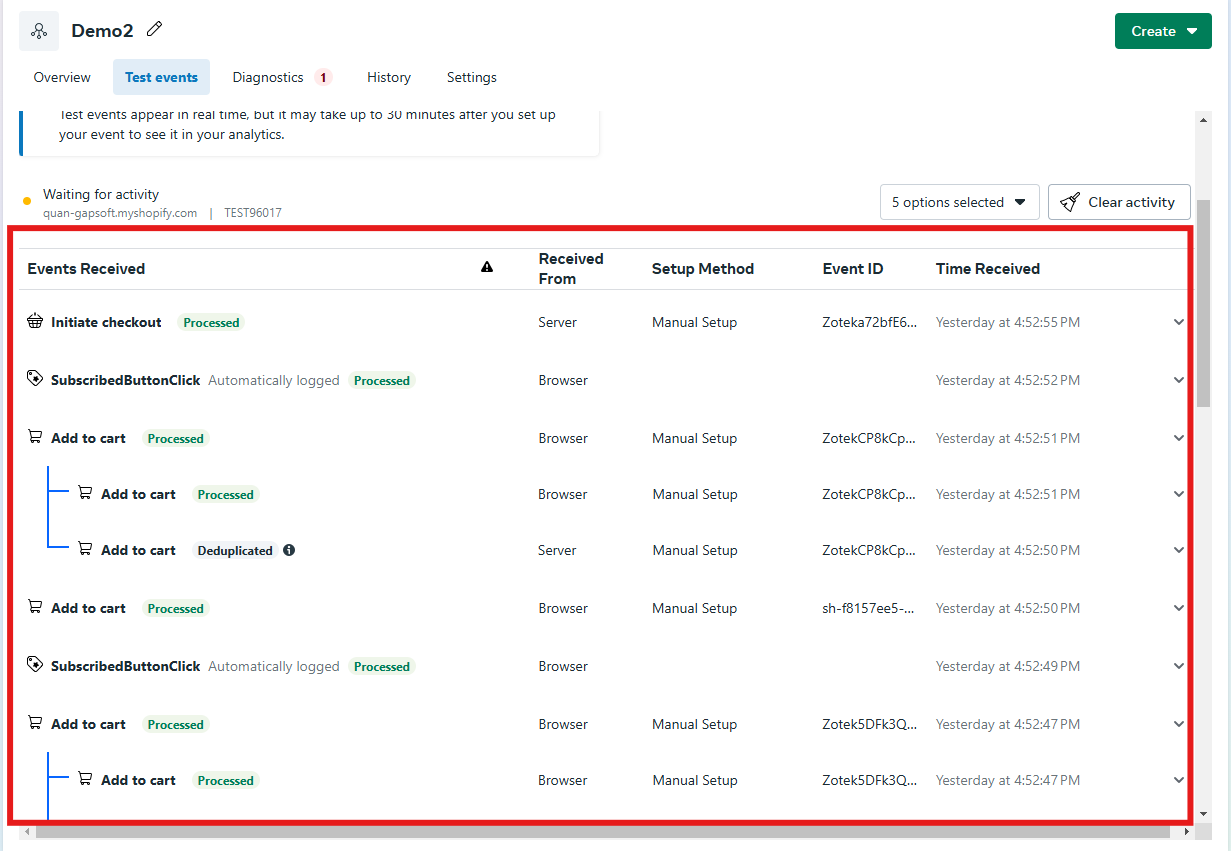
Zotek already supports a method to deduplicate server-side and browser-side events by comparing `event_id`. As a result, if your setup is correct, the received events are all deduplicated.
At its core, if the user guarantees **that each pixel is installed using a single technique at the same time, repeated occurrences will not occur.** This leads to **three possible reasons** for redundant event tracking:
**Case 1:** Manually insert Meta Pixel based codes to Liquid before leads to duplicate event tracking.
When you [install Zotek](https://apps.shopify.com/facebook-multiple-pixel?utm_source=gitbook), Meta Pixel scripts are immediately implemented in your shop.
\
In this instance, just identify and remove the scripts that were previously inserted manually.
For example, Meta scripts are normally guided to insert to file `theme.liquid`
**Case 2:** Your online store has another Meta Tracking Pixel app with the same Pixel ID setup.
We frequently encounter this situation while assisting a consumer whose Pixel ID is controlled by both Zotek and another tracking app (a listed or unlisted Shopify App).
\
It is understandable to test out another app other than Zotek to compare; however, to make it function properly, please ensure that ***each pixel ID is installed by just one app at the same time***.
**Case 3**: Similar to the second scenario, but the app is Meta app **Facebook & Instagram.**
We recommend disabling any additional CAPI integration when you install our Shopify to Conversions API connection.
Please follow this tutorial to [turn off Shopify's CAPI Integration](https://zotek.gitbook.io/facebook-multiple-pixel/getting-started/set-up-meta-pixel-guide/turn-off-shopifys-capi-integration).