> For the complete documentation index, see [llms.txt](https://zotek.gitbook.io/facebook-multiple-pixel/llms.txt). Markdown versions of documentation pages are available by appending `.md` to page URLs; this page is available as [Markdown](https://zotek.gitbook.io/facebook-multiple-pixel/getting-started/setup-meta-pixel-guide/turn-off-shopifys-capi-integration.md).
# Turn off Shopify's CAPI Integration
{% hint style="info" %}
We recommend you switch off any duplicate Meta Pixel tracking as part of installing Zotek's Meta Conversions API connection.
{% endhint %}
Using Shopify's CAPI integration (or any other CAPI third-party app) alongside [Zotek TikTok Pixel Meta Pixel Feed's](https://apps.shopify.com/facebook-multiple-pixel?utm_source=gitbook) leads to double tracking of events and purchases. We recommend disabling any additional CAPI integration when you install our Shopify to Conversions API connection.
Here's how you can do that:
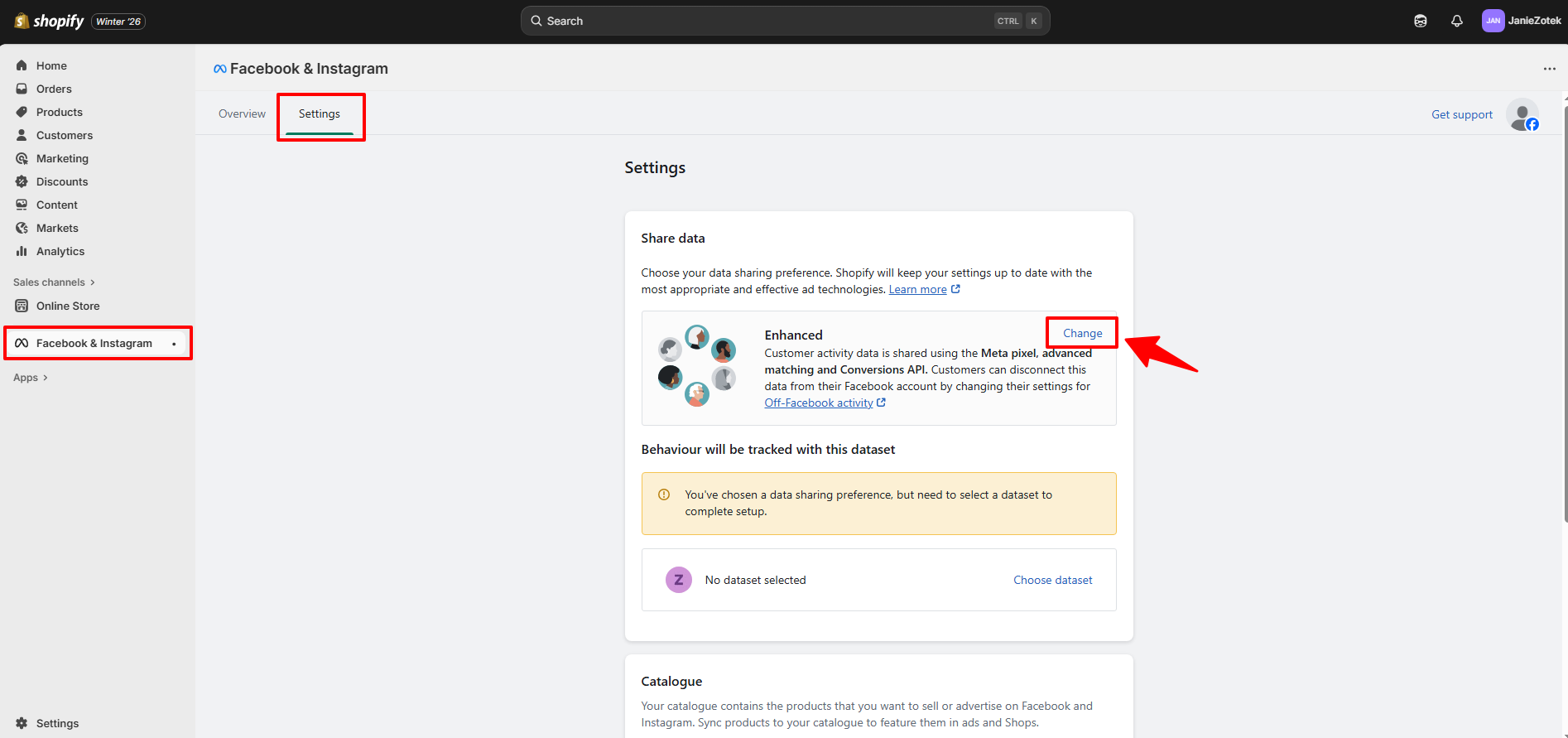
**Step 1**: Go to ***Shopify Admin*** >> select ***Facebook & Instagram***
**Step 2**: Navigate to **Settings** tab >> select **Change**
**Step 3**: Toggle off ***Share data*** option.
Finally, check the Page Views and View Content events are only triggered **once** on your pages, by using the Meta Pixel Helper [plugin for Chrome](https://chromewebstore.google.com/detail/meta-pixel-helper/fdgfkebogiimcoedlicjlajpkdmockpc?hl=en).